

Beiträge von Sloft
Es ist endlich so weit: VIO-V ist ab sofort offiziell auf FiveM verfügbar! 🎉
Nach einer intensiven Entwicklungsphase, zahlreichen Tests und der finalen Closed Beta ist es geschafft – die neue Ära von VIO-V hat begonnen!
🎉 Die neue Season ist offiziell eröffnet und VIO-V auf FiveM ist live!
Ein riesiges Dankeschön an alle, die uns auf diesem Weg begleitet, getestet und unterstützt haben. ❤️
Jetzt heißt es: Einsteigen, loslegen und die neue Season gemeinsam erleben! 🔥
Herzlich willkommen auf VIO-V auf FiveM – wir wünschen euch viel Spaß! 🚀
-
-

Bringt meiner Meinung nach ein Bisschen was ich glaube ich lass es einfach jetzt so wie es ist

-Close-
-
Bringt meiner Meinung nach ein Bisschen was ich glaube ich lass es einfach jetzt so wie es ist
Ist somit das Thema geklärt?
-
Arven2004 Besteht das Problem immer noch oder hat dein Lösungsansatz funktioniert?
-
MillerM Besteht das Problem immer noch?
-
Kxv2510 Besteht das Problem immer noch?
-
-Closed-
Alles anzeigenThema darf geschlossen werden. Habe mittlerweile die Höchstpreise selber heraus gefunden.
Für alle die es wissen wollen
(Das ist das, was ich gesehen habe):
Maismehl: 300$
Weizenmehl: 275$
Tomaten: 31$
-
Ich bin normalerweise immer auf der Seite von KreativEcke, der stellt gute Rechner auf Dubaro zusammen.
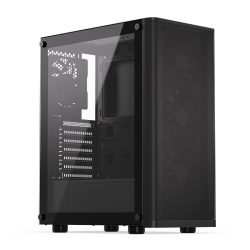 KREATIVECKE 900www.dubaro.de
 -
Ich habe vor kurzem Erfahren, das GTA V einen Cache besitzt unter dem Bereich Appdata:
Upon installation, GTA V creates temporary files and settings that you can simply reset which may help you solve some of the launch problems. Simply hit the “WINDOWS” key on your keyboard and “R” at the same time and type in %appdata%. Click on “AppData” in your navigation bar at the top of the Windows Explorer and go to “Local”. Delete the entire “Rockstar Games” folder.
Das hat bei Static auch ein FPS Schub und ein dauerhaften Crash an einer Stelle auf der Map weniger gebracht.
-
Hallo Arven2004
zu deinen Fragen
1.) Vio-V ist kein RP Server, sondern ein RL Server. Das Grundprinzip ist ähnlich, nur das du keinen erfundenen Charakter spielst, sondern das du selbst dein Charakter bist (Soll heißen, das du dich nicht verstellen musst, du bist du selbst, Beleidigungen gegen den Charakter sind Beleidigungen gegen den Spieler etc)
2.) Generell ist es allen Spielern auf Vio-V erlaubt zu Streamen, sollte das sogar vermehrt vorkommen kannst du dich als Streamer anmelden. Dazu muss ich gleich mal genauer schauen, es gibt zu 100% ein Artikel dazu.
3.) Die Fraktionen (LSSD, LSPD, FIB, Gang) kannst du nicht mit dem Flugjob etc vergleichen. Durch diese Gruppierungen finden Aktionen wie Bankraub, Ammunation Raub, Gangwars statt, diese sind Spieler gegen Spieler Aktionen und sind der Hauptbestandteil des erlaubten Deathmatches auf Vio-V, da RDM, VDM nicht erlaubt sind.
Zu vergleichen ist sowas mit Gangwar Servern
4.) Diese Spieler haben zum einen mehrere tausend Stunden meistens und haben über die oben genannten Fraktionen oder über die Jobs ihr Geld verdient. Eine weitere Möglichkeit ist der Autohandel, wenn du selbst davon Ahnung hast kannst du über Fahrzeug an und Verkäufe ebenfalls viel Geld verdienen. Ein Lukrativer Job ist die Farm oder auch der Trucker.
zu Punkt 5 und 6 kann ich SmileHD nur zustimmen
7.) Als Gruppe könnt ihr nicht auf die eine Farm zugreifen oder eben auf die Privatfahrzeuge der Gruppenmitglieder, aber ihr könnt sobald ihr ein Haus habt auf dieses Lager gemeinsam zugreifen.
8.) Ihr könnt über ein Squad und eine Gangmedaille ein SOS kaufen, das denjenigen auf der Karte mit einem Punkt markiert, der es aktiviert hat. ein Squad ist hier auch als Gruppierung anzusehen.
9.) Nein das ist leider nicht möglich.
Weitere Informationen findet ihr hier:
Einfach mal durch klicken und lesen.
Ansonsten viel Spaß euch drei auf Vio-V
-
Mafia06 Wie der User oben schon geschrieben hat, ist das Problem gelöst
Danke, das problem hat sich bereits gelöst
-
Hab jetzt ne RX570 und keine Nvidia mehr gibt es da auch die möglichkeit rückwirkend zu clippen?
Anscheinend gibt es von AMD eine Software die nennt sich ReLive. Damit sollte das laut computerbase Forum funktionieren.
-
Mein Geforce funktioniert nun teilweise wieder, aber es ist angeschalten aber ich kan trotzdem nicht clippen. Da wo ich speichern wollte, dieses Fenster ist ausgegraut.
Wie genau meinst du das Fenster ist ausgegraut? Kannst du keinen anderen Speicherort auswählen oder funktioniert nur dieser eine Ordner explizit nicht?
-
Hallo MicerTV
ich selbst würde und habe fehlerhafte Kleider schon als Fehlermeldung geschrieben. Ich würde das Ganze einfach mal versuchen, mehr als ein "Ist kein Fehler" kommt da nicht. Und wenn es ein Fehler ist, dann wird dieser an das Development Team weitergeleitet.
lol
Du bist ja nicht neu
Also denke ich das du weißt das du das Oberteil was du vorher an hattest ausziehen musst
Also auf das Minus Zeichen rechts klicken
Hast du das schon gemacht?
Selbst dann ist es so, dass bei manchen Kleidungsstücken eine Kombination ungültig ist. Dann kann man teilweise auch nichts dabei anziehen und das Kleidungsstück ist komplett "nutzlos".
-
Und den RockstarGames Launcher?
-
Meine Erste Vermutung liegt auf einem Fehler vom Rockstar Games Launcher.
Versuch den neu zu installieren, aufpassen, das dann die Daten von GTA nicht gelöscht werden, je nach Internetverbindung wird das eine Ewigkeit dauern.
Wenn das nichts bringt, dann Rage MP selbst neu installieren.
Versuch das mal und schreib dann zurück.
-
Passi99 Wenn du GTA über RageMP startest, öffnet sich nichts, oder startet dann dein normales GTA? Welche Plattform benutzt du für GTA?
-
Passi99 Ein anderer Spieler hatte das Problem schon einmal. Dieser musste dann GeForce Experience neu installieren, dann hatte es wieder funktioniert. Wenn der Tipp von JOORDAN nichts bringt, versuch's damit einmal.
-
Ich habe irgendwo auf TikTok gesehen, das man sich Windows auf das SteamDeck installieren kann! Dementsprechend müsste dann alles klappen.
Stimmt, hab ich auch gerade auf Steam selbst nachgelesen.
Hier ist ein Link dazu, mit dem Download der Treiber im Anschluss und kleinen Tipps VargVrathyr.
Da ich die Anbindungen von dem SteamDeck nicht kenne, also ob dort ein USB-C Anschluss ist oder ob das ganze per SD-Karte gemacht werden muss.
Ansonsten eine ganz normale Win 10/11 Installation wie JayJay gesagt hat.
-
Moin VargVrathyr,
ich kenn jemanden, der auf Linuxbasis spielt, der hat vor kurzem auch auf Vio angefangen.
Das Problem besteht darin, das Rage:MP nicht auf Linux läuft wegen dem EAC.
Der musste dann eine VM auf seinem Rechner einrichten und dort alles installieren.
Ich weiß nicht, ob sowas auf dem SteamDeck möglich ist.